
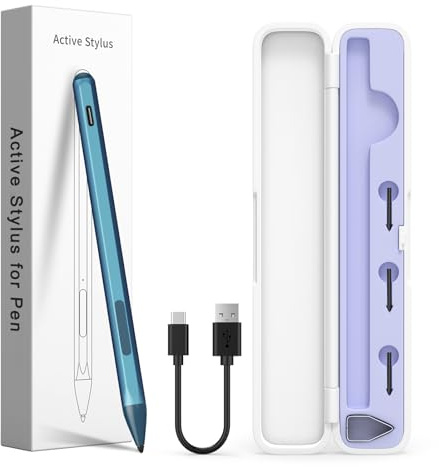
Stylus Pen for HP Envy x360/Pavilion x360/Spectre x360/x2, MPP 2.0, Blue | 4096 pressure levels, tilt shading, palm rejection, magnetic attachment, USB-C charging, 80-hour use, eraser/right-click keys(Disclaimer)
Offer

£ 29.99
free delivery
to shop
Product description
- 【Compatible Models】HP Envy 17-aexxx,Envy x360 15-bp0xx,Envy x360 15-bq0xx,Pavilion x360 11m-ad0xx,Pavilion x360 14m-ba0xx,Pavilion x360 15-br0xx,Spectre x2 12-c0xx,Spectre x360 13-ac0xx,Spectre x360 13-ae000,Spectre x360 15-bl0xx 【4096 Pressure Sensitivity &Tilt Function】The MPP 2.0 pen is equipped with exceptional control using 4,096 pressure levels, allowing it to accurately and smoothly respond to even the slightest touch.
- Additionally, it has a tilt and thickness feature that enables the line to become thicker as the pen is tilted at a larger angle. This is especially useful for creating precise outlines and shading, making it ideal for drawing purposes.
- Note: Tilt sensitivity compatibility depends on the application and pen brush. 【USB-C Ultra Fast Charging and Intelligent Power Management】 Avoid the trouble and waste of disposable batteries.
- It can be used for about 80 hours after being charged for 20 minutes. Fully charged in 1 hour, standby for 365 days. With the Smart power management design, it will switch to power-saving mode after 10 minutes of idle.
- Pressing any button can wake you up from the power-saving mode. 【Palm Rejection & Magnetic Design】The palm rejection feature effectively prevents your hand from interfering with your work, allowing you to comfortably rest your hand on the screen while creating.
- The magnetic design enables the stylus to be securely attached to the tablet, making it more convenient to store and locate while in use.
- NOTE: Requires your tablet to support magnetic attachment. 【Easy to Use】This stylus pen doesn't require any special software or Bluetooth connection in order, just press the key to use.
- With shortcut keys eraser and right mouse button functions.
Other laptops offers
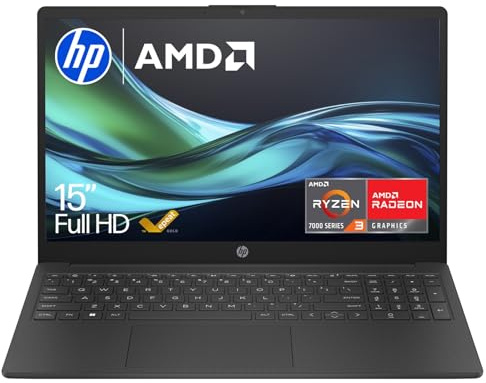
HP 15.6” Laptop | AMD Ryzen 3 7320U | 8GB RAM | 256GB SSD | Full HD Screen | Anti-glare | AMD Radeon Graphics | Fast Charge | Dual Speakers | Windows 11 | Up to 11.25hrs Battery | Charger Included
A POWERFUL, SLEEK LAPTOP FOR GETTING THINGS DONE EVERYDAY: The HP 15.6" Laptop PC comes feature-packed for productivity and making your wallet - and the planet - happy.
£ 388.00
free delivery
To the offer
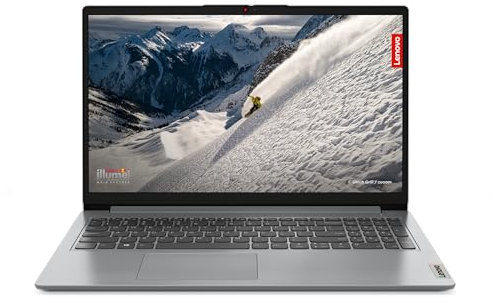
Lenovo IdeaPad 1 | 15 inch Full HD Laptop | AMD Ryzen 5 7520U | 16GB RAM | 512GB SSD | Windows 11 Home in S mode | Cloud Grey
Take care of your privacy with Camera privacy shutter The IdeaPad 1 packs responsive performance in a thin and compact 17.9 mm chassis, making multitasking on-the-go a breeze The 15.6-inch Full HD (1920x1080) TN 250 nits Anti-glare display and integrated AMD Radeon 610M Graphics Stay always connected with Bluetooth and Wi-fi 6. Work from anywhere with 11 hours of battery life and with High-Definition Audio Boost your performance with AMD Ryzen 5 processor with 16GB RAM and 512GB of storage
£ 629.99
free delivery
To the offer
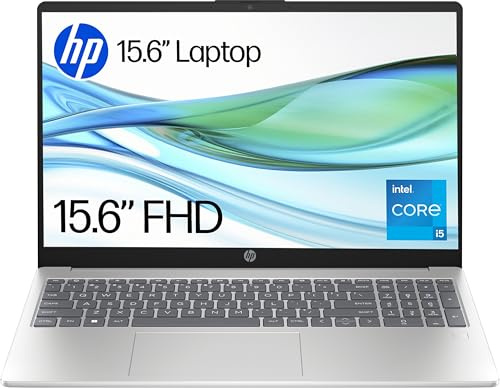
HP 15.6" Laptop | Intel Core i5 i5-1334U Processor | 16 GB RAM | 512 GB SSD | Intel Iris Xᵉ Graphics | FHD Display | Up to 9.75 hrs battery | Windows 11 | Dual Speakers | Natural Silver | 15-fd0072sa
A RELIABLY BUILT LAPTOP TO KEEP YOU IN THE ZONE: The HP 15.6" Laptop PC empowers you to do more with the reliable power of an Intel Processor, plus ample storage, and powerful graphics in a sleek, thoughtfully designed device. Created for wherever the day takes you and built with ocean-bound and post-consumer recycled plastics, it’s easy to show some love for the planet.
£ 419.00
£ 434.00
To the offer
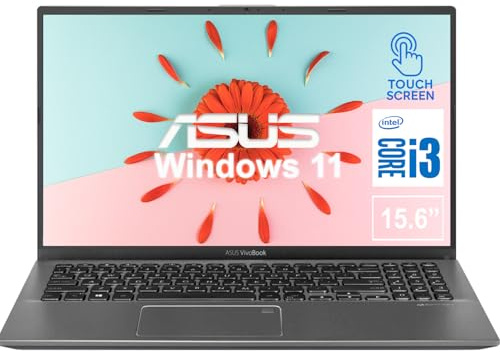
ASUS Vivobook 15.6 Inch Touchscreen Laptop | Intel 11th Gen Core i3, Dual-Core Processor | 32GB Memory, 1TB SSD | Windows 10 | Slate Grey | Chiclet Keyboard | Ultra-Thin and Lightweight
ASUS
£ 966.75
free delivery
To the offer
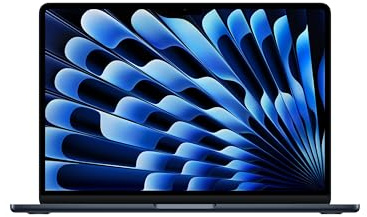
Apple MacBook Air 13-inch Laptop M5 chip with 10-core CPU and 8-core GPU: Built for AI, 13.6-inch Liquid Retina Display, 16GB Unified Memory, 512GB SSD, 12MP Center Stage, Touch ID, Wi-Fi 7; Midnight
MIGHT TAKES FLIGHT — MacBook Air with the M5 chip packs blazing speed and powerful AI capabilities into an incredibly portable design. With Apple Intelligence,* up to 18 hours of battery life* and fast SSD storage starting from 512GB,* you can work, create and play anywhere life takes you.
£ 1,199.97
free delivery
To the offer

Dell Latitude 5400 14.0" Laptop, Intel i5-8365U, 16GB Ram, 512GB SSD, Windows 11 Pro, Black (Renewed)
Dell Latitude 5400 14.0" Laptop, Intel i5-8365U, UK QWERTY, Windows 11 Pro, Black
£ 229.00
free delivery
To the offer
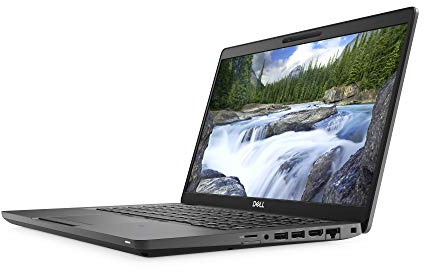
Dell Latitude 5400 14.0" Laptop, Intel i5-8365U, 16GB Ram, 256GB SSD, Windows 11 Pro (Renewed)
Dell Latitude 5400 14.0" Laptop, Intel i5-8365U, UK QWERTY, Windows 11 Pro, Black
£ 230.00
free delivery
To the offer
38% discount
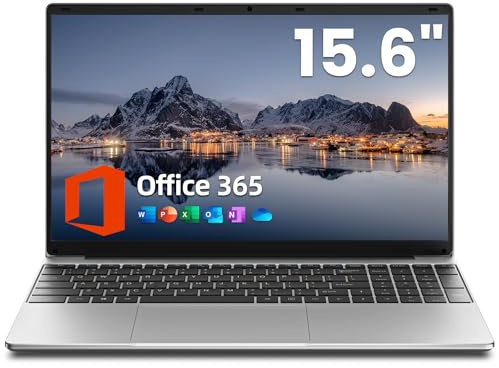
jumper 15.6 inch Laptop with Office 365, 4GB RAM 128GB Storage, 1080 HD Display Laptops, 5205U Processor, USB3.0, 38Wh Battery, Portable Laptops for Business, School, and Work, Keyboard Film UK.
4GB RAM+128GB Storage+512 TF Card: The S7-Hi laptop comes with 4GB of high-speed RAM, 128GB storage, and 512GB of TF card expansion, giving you plenty of room to run a variety of programmes and applications smoothly
£ 229.99
£ 369.99
To the offer
7% discount
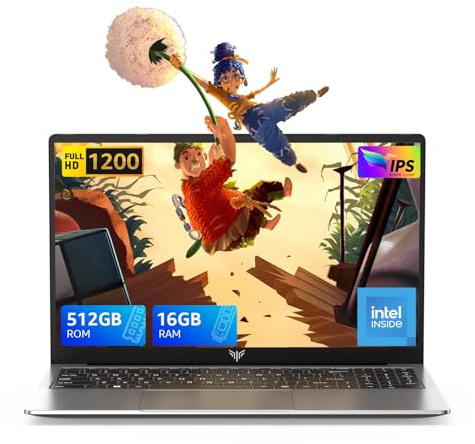
Tivique 2026 15.6 Inch FHD Laptop 12th Gen N95 Quad-Core (Processor Up to 3.4GHz) - 16GB DDR4 RAM 512GB M.2 SSD, Support Dual-Band WiFi, HDMI,USB 3.2, BT 5.2, 1200 16:9HD Display,5000mAh Long-Battery
【Unleash Next-Level Performance with 12th Gen Processor】Experience a major speed boost with the TIVIQUE LX15 Laptop. Powered by the latest 12th Gen Alder Lake N95 processor (4 Cores, up to 3.4GHz), it performs over 30% faster than the previous N5095 generation. Handle daily tasks effortlessly, while the integrated UHD Graphics (up to 1200MHz) delivers smooth visuals for work, streaming, and light entertainment.
£ 399.99
£ 429.99
To the offer

HP Chromebook 14" | Intel N100 Processor | 4GB RAM | 128GB UFS
Chromebooks run ChromeOS, the fast, secure operating system from Google.
£ 199.99
free delivery
To the offer

ASUS Vivobook 16 X1607QA CoPilot+ Laptop | 16.0" WUXGA Screen | Qualcomm Snapdragon X1-26-100 Processor | 16GB RAM | 512GB SSD | 19 Hours Battery Life | Windows 11
Powered by Qualcomm's Snapdragon X1-26-100 Processor Next Generation AI PC with Microsoft Co-Pilot+ 16.0" WUXGA (1920x1200) 16:10 Screen 16GB RAM, paired with 512GB PCIe SSD Windows 11 Home Operating System
£ 569.99
free delivery
To the offer
5% discount
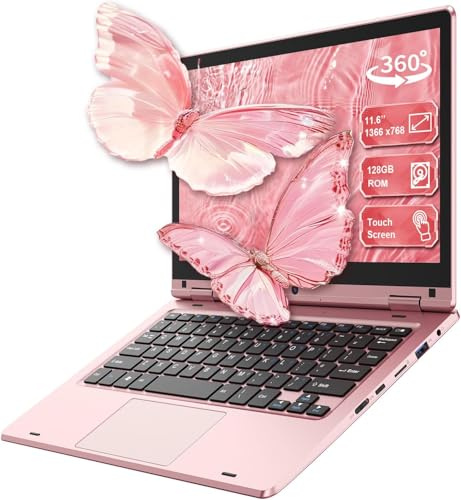
LEEDOW 11.6 inch Laptop 6GB RAM 128GB SSD, 360° Foldable Touchscreen Laptop Celeron N4020, Laptop Computer Support TF Card, 2.4G/5G Dual-Band WiFi, Bluetooth, USB 3.0 * 2 for Work, Education, Travel
LEEDOW
£ 189.99
£ 199.99
To the offer